¶ netsetup Utility Explained
After logging into the server via SSH, a simple summary of server information should be displayed on the screen:
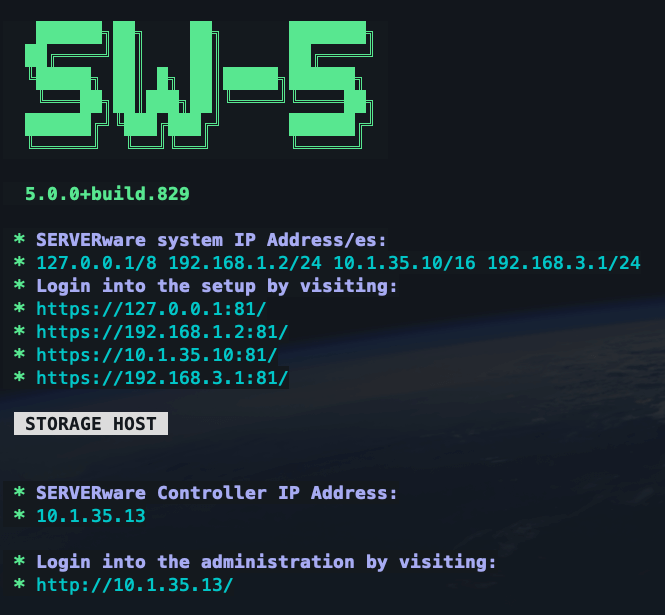
This screen shows the list of IP addresses configured during setup, along with the name of the server currently connected.
To manage the network settings on the server, type netsetup at the command line and press Enter. Running the command with sudo is recommended to ensure sufficient privileges for network configuration.
Bonding for SAN Network
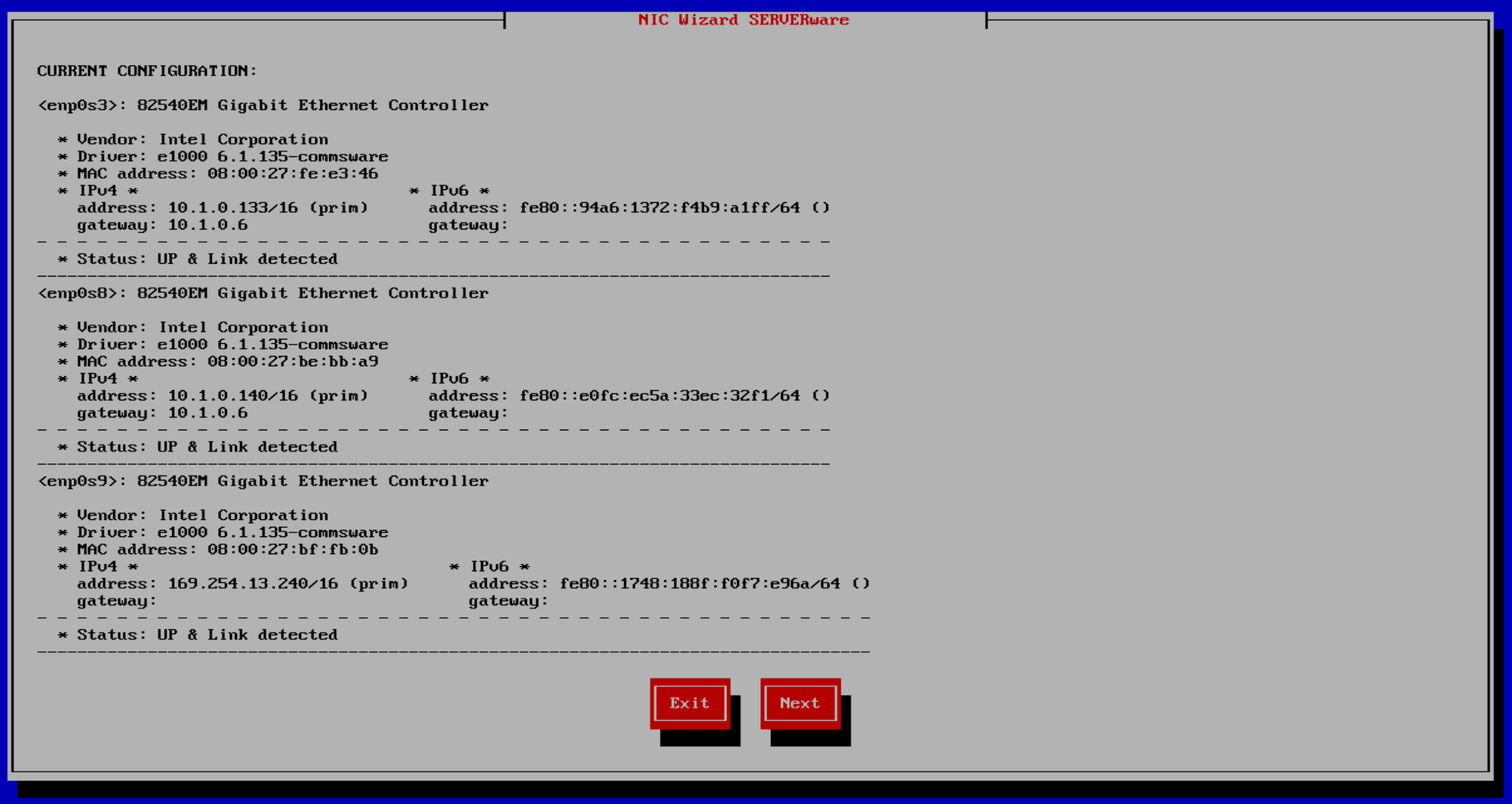
On the first screen, a list of all network interfaces is displayed. Under each interface, the uplink status is shown — this helps identify which interfaces currently have active network connections.
The next step is to create a network bond. Bonding combines two or more network interfaces to increase bandwidth and provide redundancy. This allows faster data transfer between storage servers or between a storage host and a processing host.
Requirements
To create a bond with, for example, four interfaces in a SAN (Storage Area Network) setup, ensure that:
- Four network ports are available on each storage host.
- The same number of ports are available on the network switch.
- The processing host also has the same number of available ports.
- On the netsetup screen, press Next.
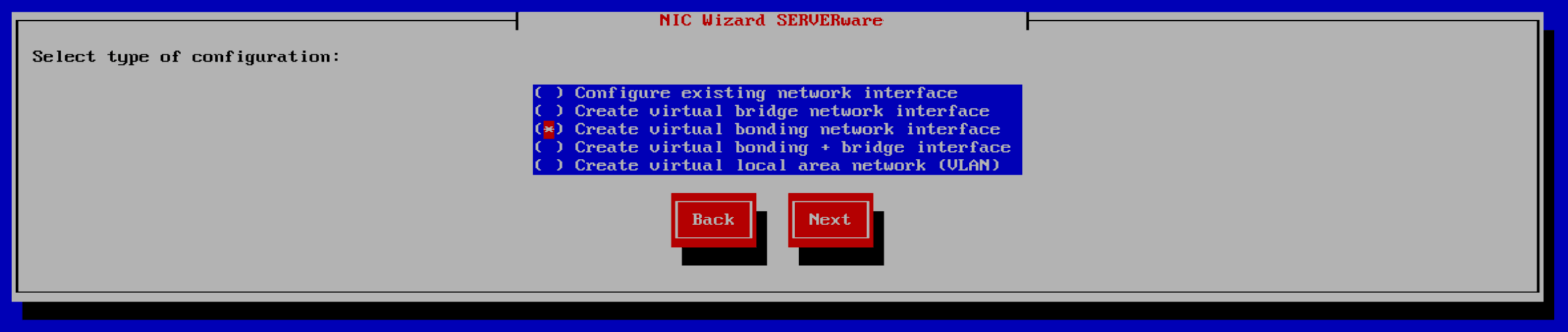
- From the menu, use the arrow keys and spacebar to select Create virtual bonding network interface, then press Next.
- On the next screen, select two or more network interfaces to include in the bond, and press Next.

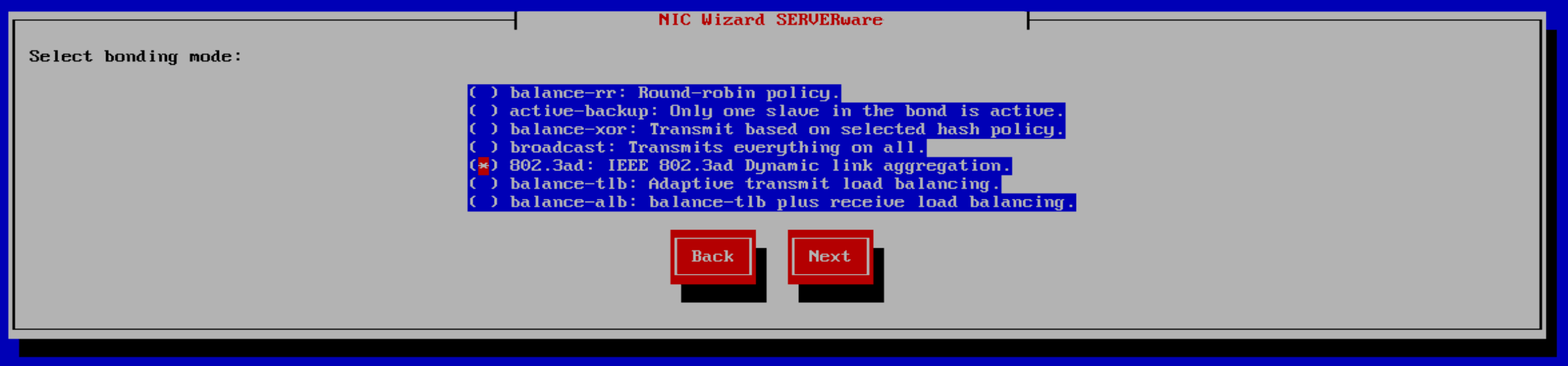
- A list of bonding modes will appear. From the list, select 802.3ad (IEEE 802.3ad Dynamic Link Aggregation), then press Next.
Note: For the SAN network, all hosts connected to it must have their virtual bonding interfaces named identically (for example, bondSAN).
If the first storage host uses interface enp11s0f0 for the SAN network, the second storage host must use the same interface (enp11s0f0) for the SAN network as well. This applies equally to RAN (Replication Area Network) and LAN connections.
- Enter a name for the bonding interface (e.g., bondSAN) and press Next.

- After a few seconds, the status of the new bonding interface should display as “up” and “link detected”.
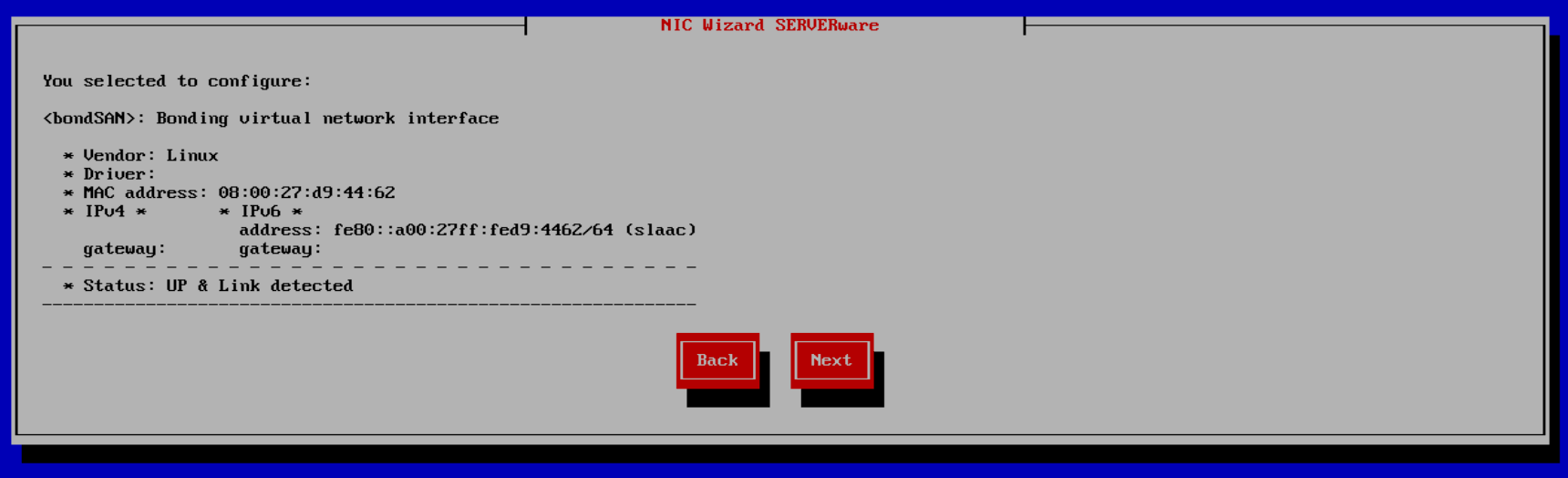
If not, check the cable connections or review the previous steps for any mistakes.
- Choose whether to use DHCP or assign IP addresses manually.
Manual configuration is recommended for stability.
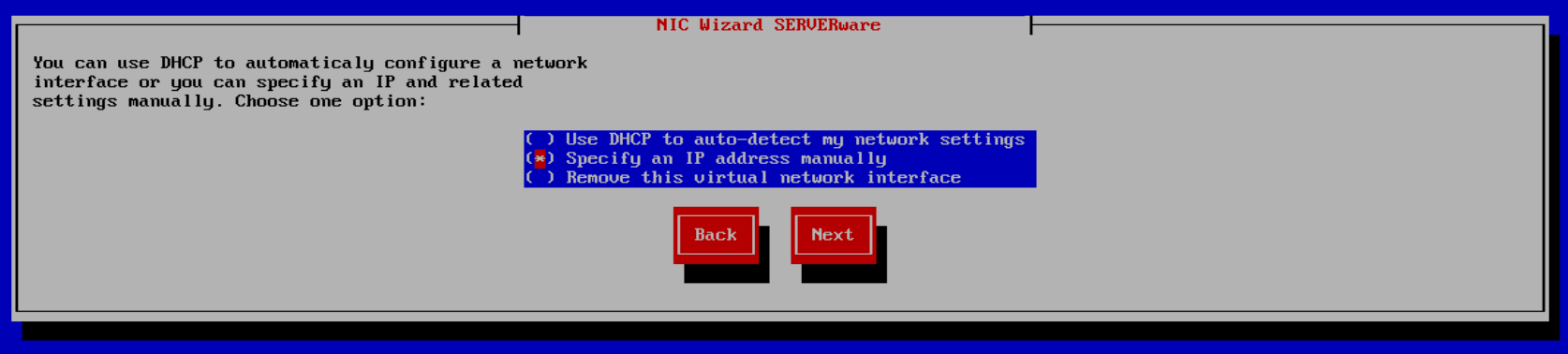
Contact the system administrator for the correct IP address details.
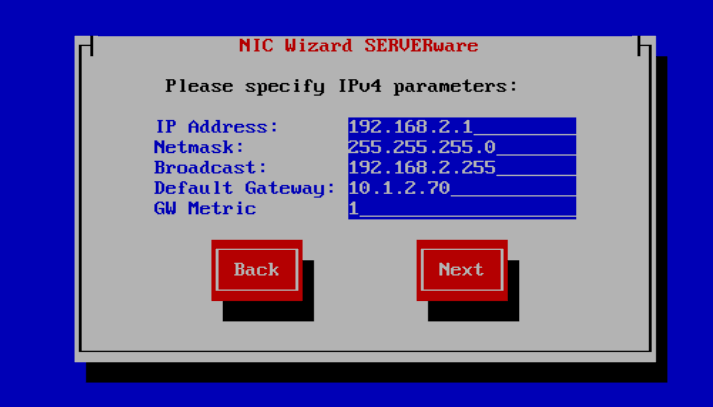
- Enter the assigned IPv4 address for the SAN interface, then press Next.
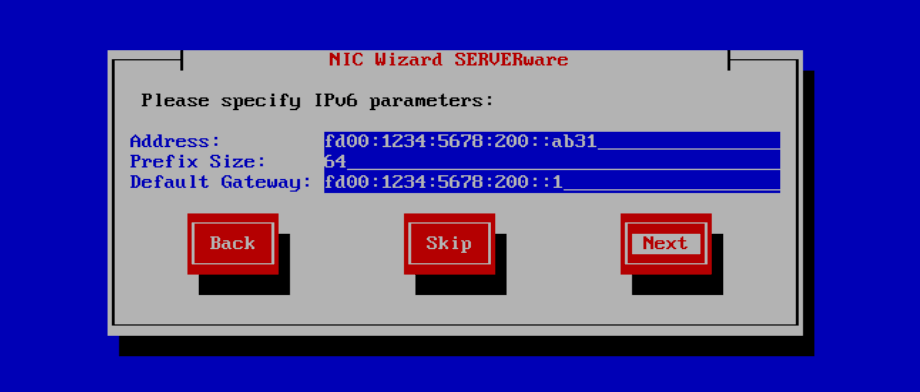
- Enter the assigned IPv6 address for the SAN interface, then press Next.
- Please specify DNS servers (IPv4 and IPv6)
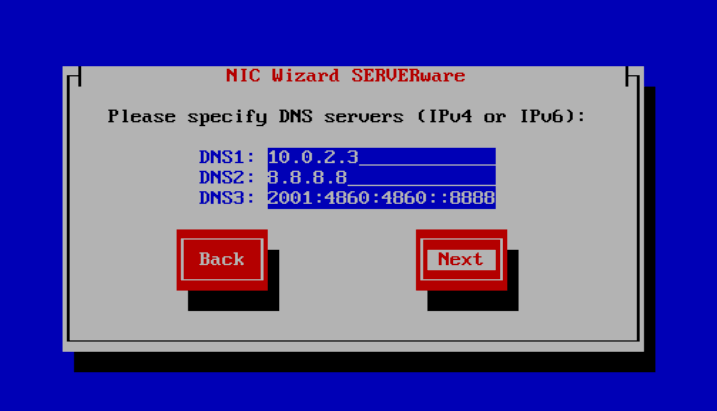
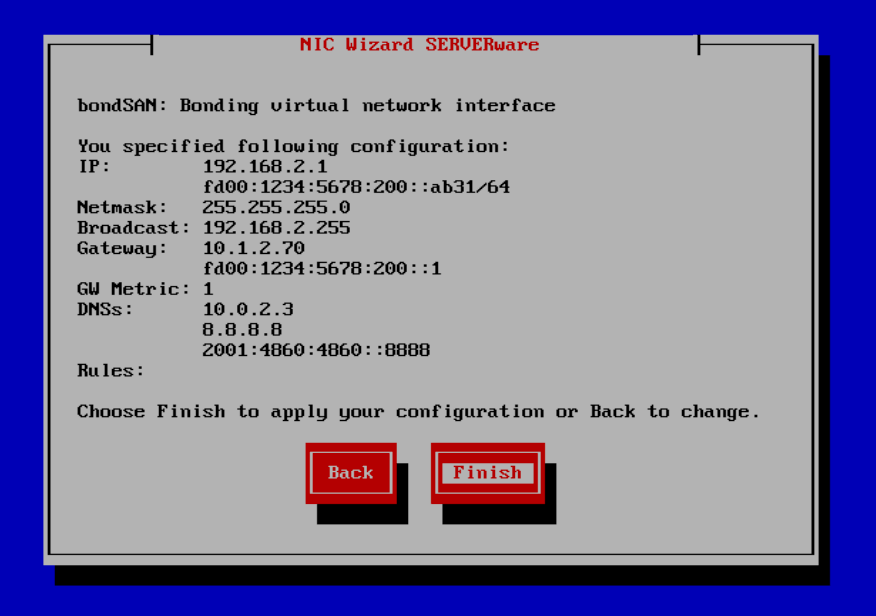
- Review the information summary for the created bonding interface, and select Finish to apply the configuration.
Bonding for RAN Network
To create a RAN (Replication Area Network) bond, you need at least two available network ports on each storage host.
Example:
Connect the same interfaces between both servers (e.g., eth1 → eth1 and eth2 → eth2).
Then, on each storage server, create a network bond using eth1 and eth2.
When setting up the RAN bond, choose the Balance-rr (Round Robin) mode — this provides the best performance for replication traffic.